The spec reader for developers
Every design spec,
one link away.
Designers publish. Developers inspect — CSS, Tailwind, and every value in between.
14-day free trial·Viewers always free·No credit card
 SpecPeek
Designers publish. Developers inspect — CSS, Tailwind, and every value in between.
SpecPeekSelect frames in Figma. Click publish. Your specs are encrypted and a URL is generated — in seconds, no export.
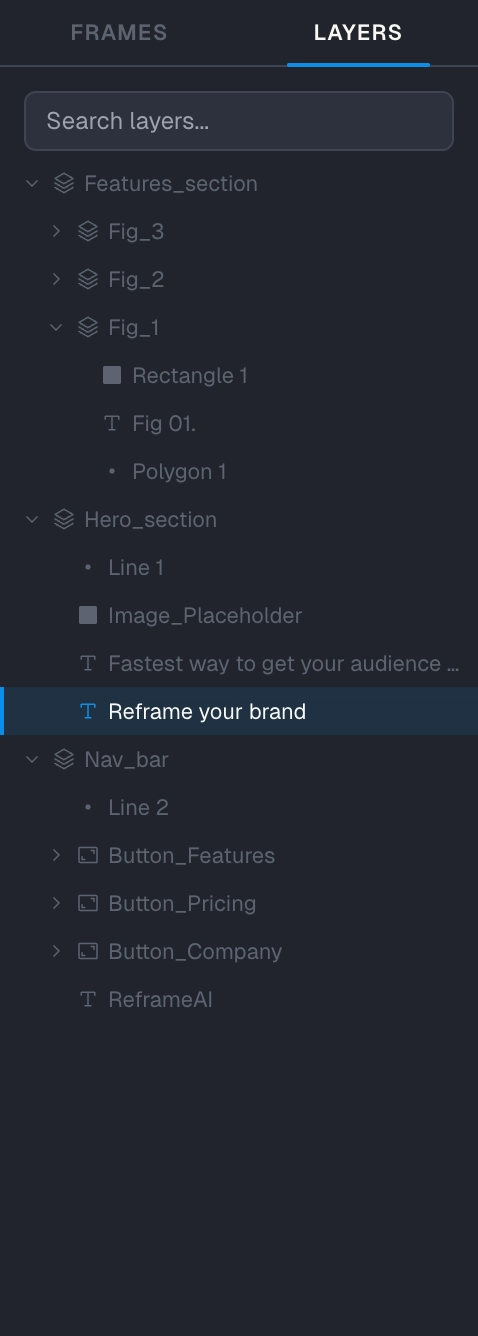
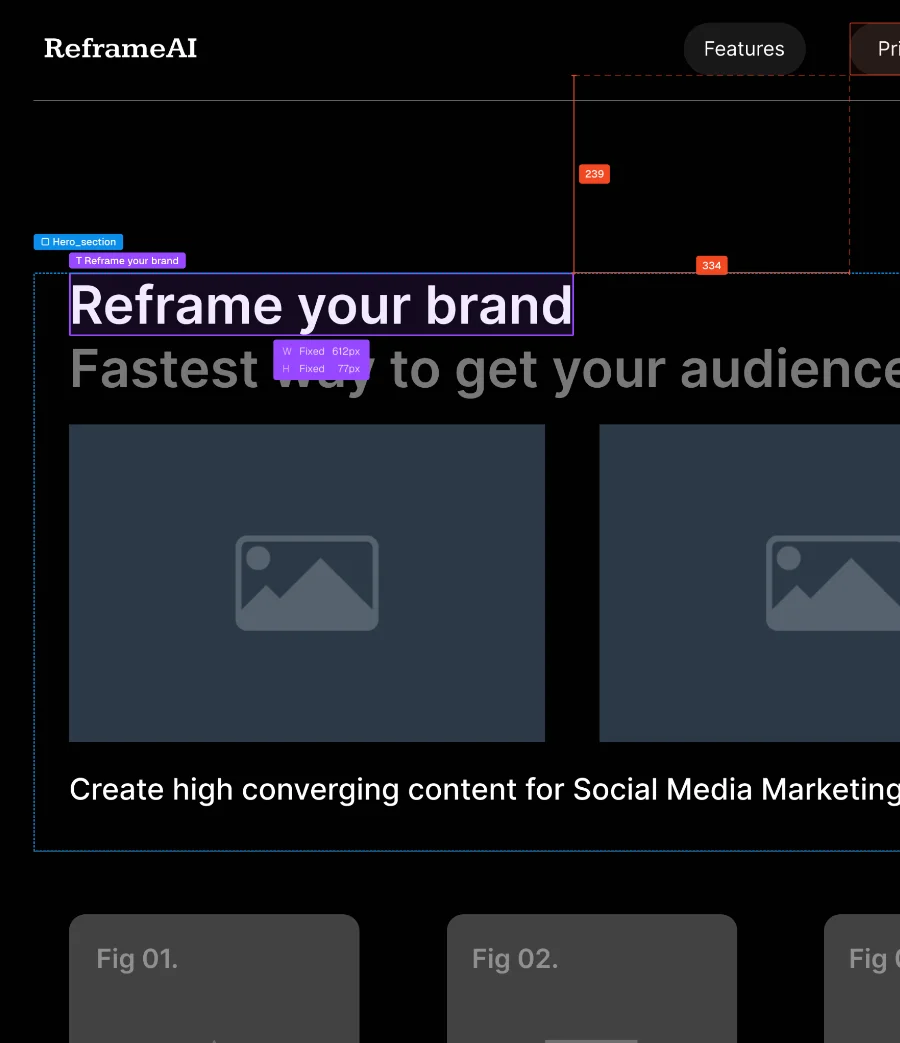
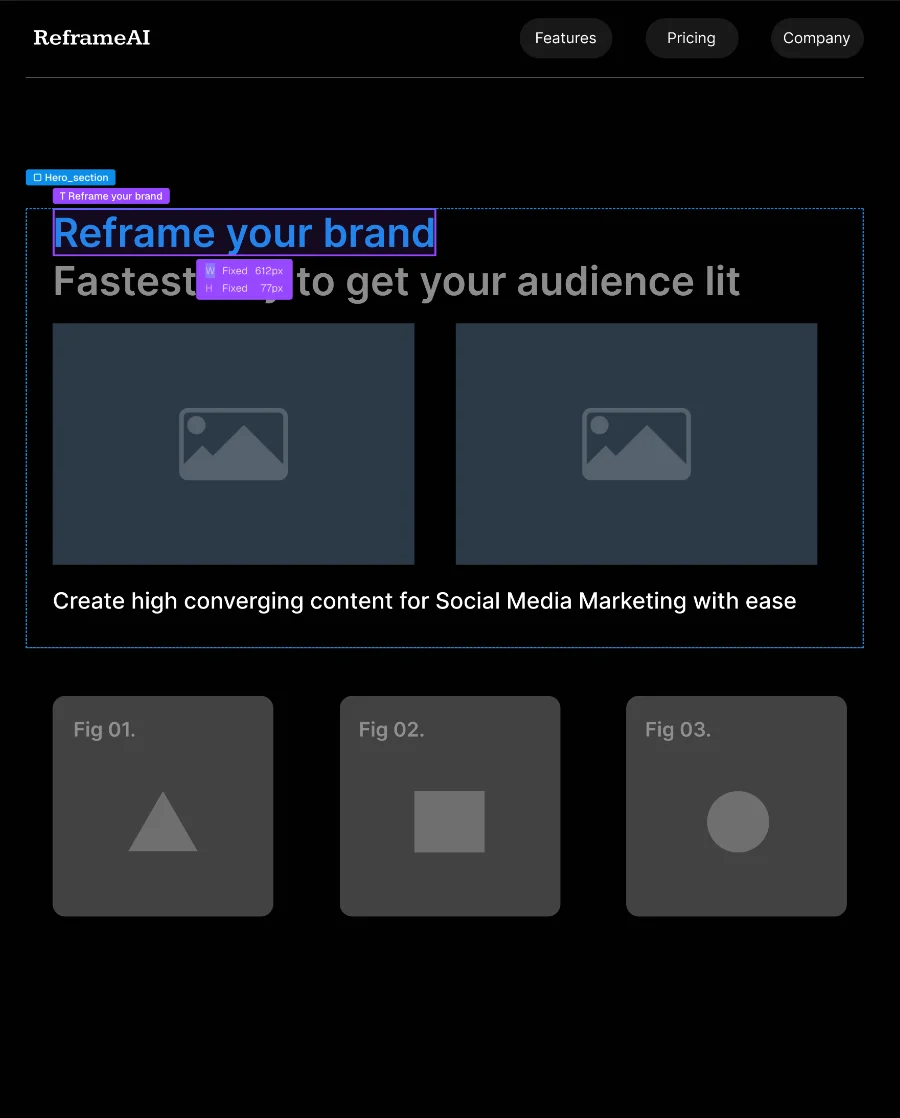
Any browser. Click elements, measure everything, copy CSS, Tailwind, tokens. No Figma seat, no account, no new login.
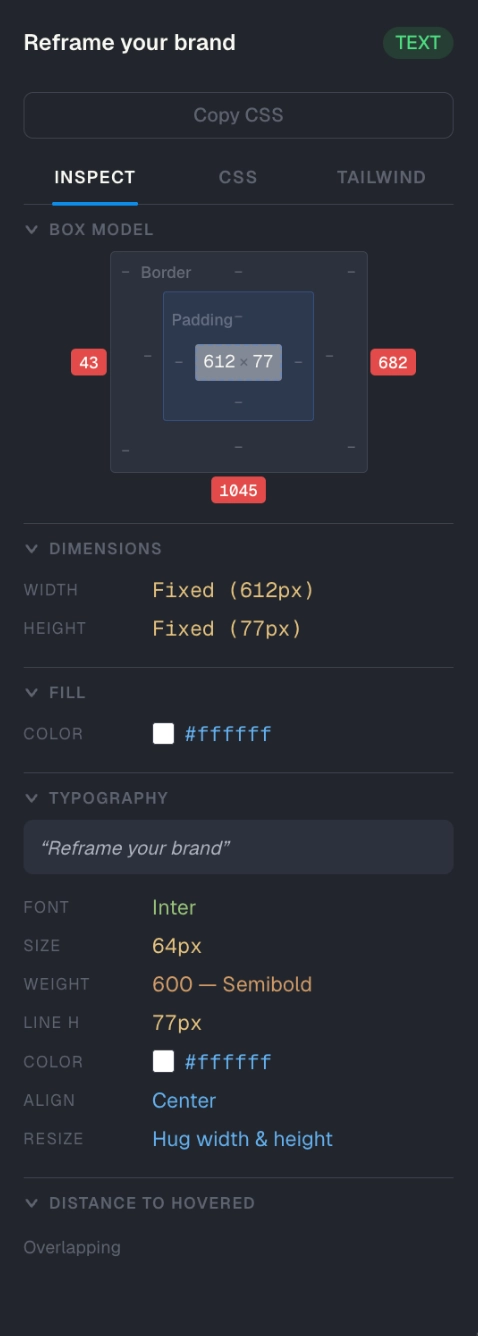
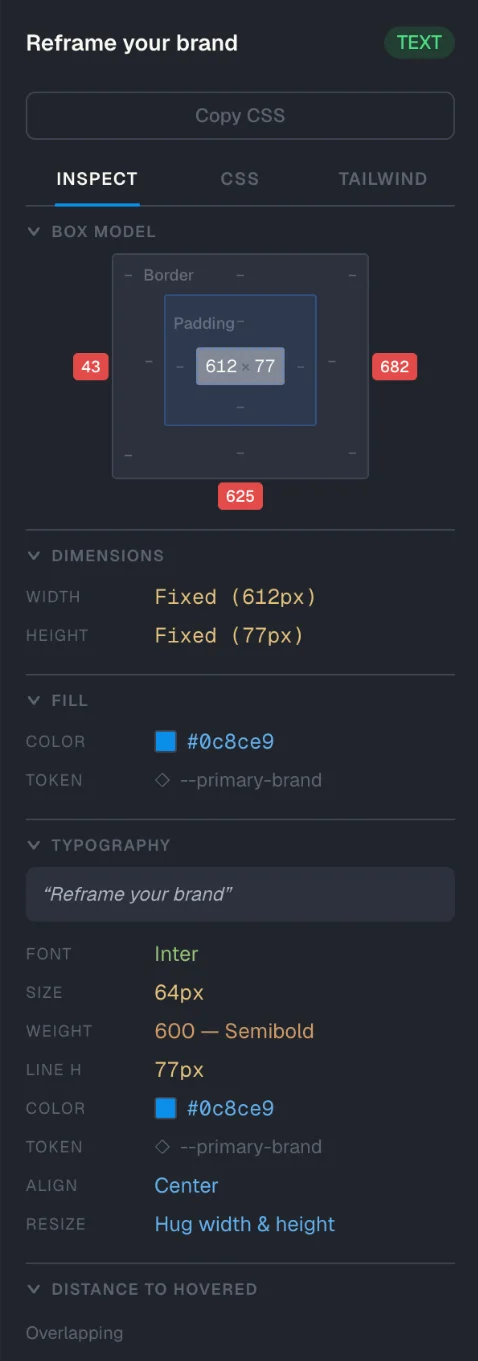
Click any element and read the spec. Padding, typography, fills, effects — every value a developer needs to implement, in one scannable panel.
Republish any frame and the old version stays accessible. SpecPeek highlights every change between versions — added, modified, or removed — keeping a true version history.
CSS or Tailwind — click copy, paste into your file, run. No manual conversion, no hunting through Figma panels, no guessing at values.
Figma variables don't get flattened to hex. SpecPeek outputs token names — var(--primary-600), theme.colors.primary[600], or whatever matches your setup — so your codebase stays maintainable.
Click any element and read the spec. Padding, typography, fills, effects — every value a developer needs to implement, in one scannable panel.
Republish any frame and the old version stays accessible. SpecPeek highlights every change between versions — added, modified, or removed — keeping a true version history.
CSS or Tailwind — click copy, paste into your file, run. No manual conversion, no hunting through Figma panels, no guessing at values.
Figma variables don't get flattened to hex. SpecPeek outputs token names — var(--primary-600), theme.colors.primary[600], or whatever matches your setup — so your codebase stays maintainable.






Any browser. No install, no account, no seat.
Anyone with the link is in.

One click in the plugin. The link stops working.
Past viewers lose access immediately.

We can't read your specs — not even with a gun on our heads. The decryption key lives in the URL, not on our servers.
"Design handoff shouldn't be a daily
Slack thread about padding."
The link works for anyone with it. Engineers, PMs, QA, clients, all view for free.
| 1 person | 5 persons | 10 persons | 20 persons | |
|---|---|---|---|---|
| SpecPeek | $19/mo | $19/mo | $19/mo | $19/mo |
| Figma Professional | $15/mo | $75/mo | $150/mo | $300/mo |
| Figma Organization | $25/mo | $125/mo | $250/mo | $500/mo |
| Figma Enterprise | $35/mo | $175/mo | $350/mo | $700/mo |
No. Your specs are encrypted in your browser before they're uploaded. The decryption key lives in the URL fragment, which never reaches our servers. We can't read your design content even if we wanted to. This is the same technique used by services like 1Password and Bitwarden.
Existing published links keep working. Cancellation stops you from publishing new specs or updating existing ones, but anyone with a link can still view it. Your viewers don't lose access just because you stopped paying.
No. Anyone with the link opens it in any browser — Chrome, Safari, Firefox, Arc. No account, no plugin, no Figma seat. They can inspect every element, copy CSS or Tailwind, see typography and tokens. Same access whether they're an engineer, a PM, a client, or anyone else.
No. You design in Figma exactly the way you do now. SpecPeek is a Figma plugin — open it, select frames, click publish. The plugin reads your design directly through Figma's API, so there's no manual export, no separate file format, no parallel system to maintain. When you update designs, republish to update the spec.
Figma Dev Mode requires a paid seat for every developer who needs to inspect specs ($25/seat/month on most plans). For a team with five developers, that's $125/month. SpecPeek is $19/month total — the designer pays once, anyone with the link views for free. SpecPeek also works for people without Figma accounts at all: clients, QA, content writers, anyone you'd otherwise have to add to your Figma workspace.
Yes. One click in the plugin and the link stops working. Past viewers lose access immediately, even if they have the URL bookmarked. The encryption keys are revoked server-side, so the spec content can't be retrieved by anyone.
Install the Figma plugin. Publish your first spec in 30 seconds.
Try it free